 Lessonwise
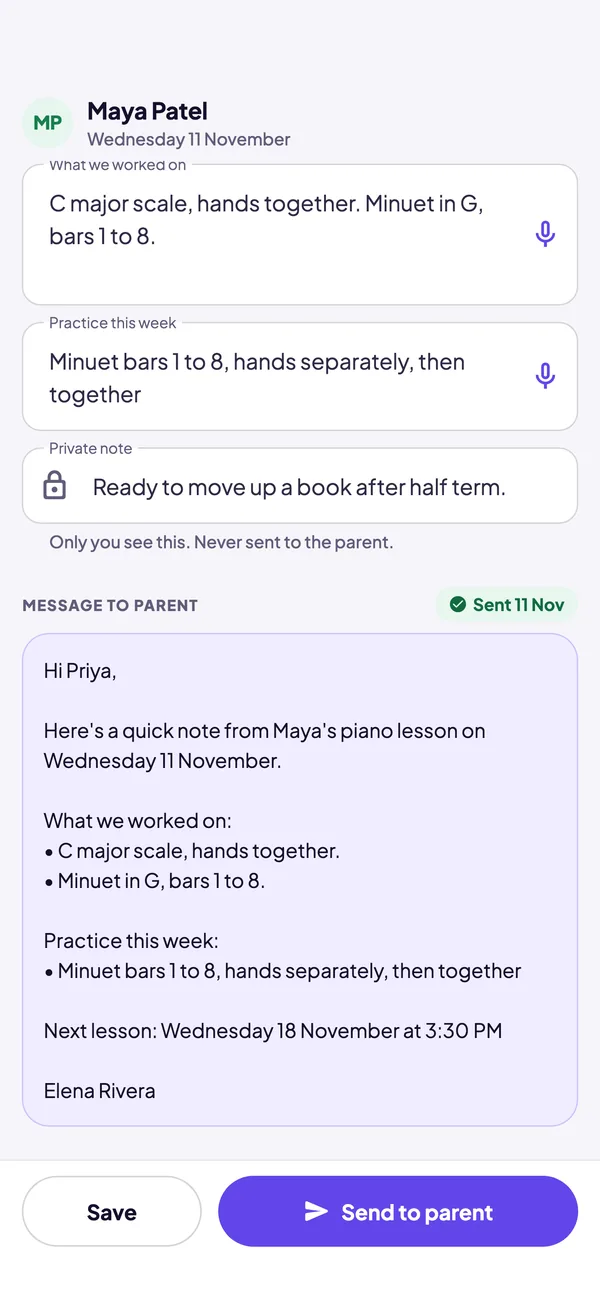
Write Maya’s note. Watch the parent message build itself.
Type the way you’d talk at the end of a lesson. The parent message is what Priya, Maya’s mum, receives, built the same way the app builds it.
One teaching afternoon with Lessonwise
-
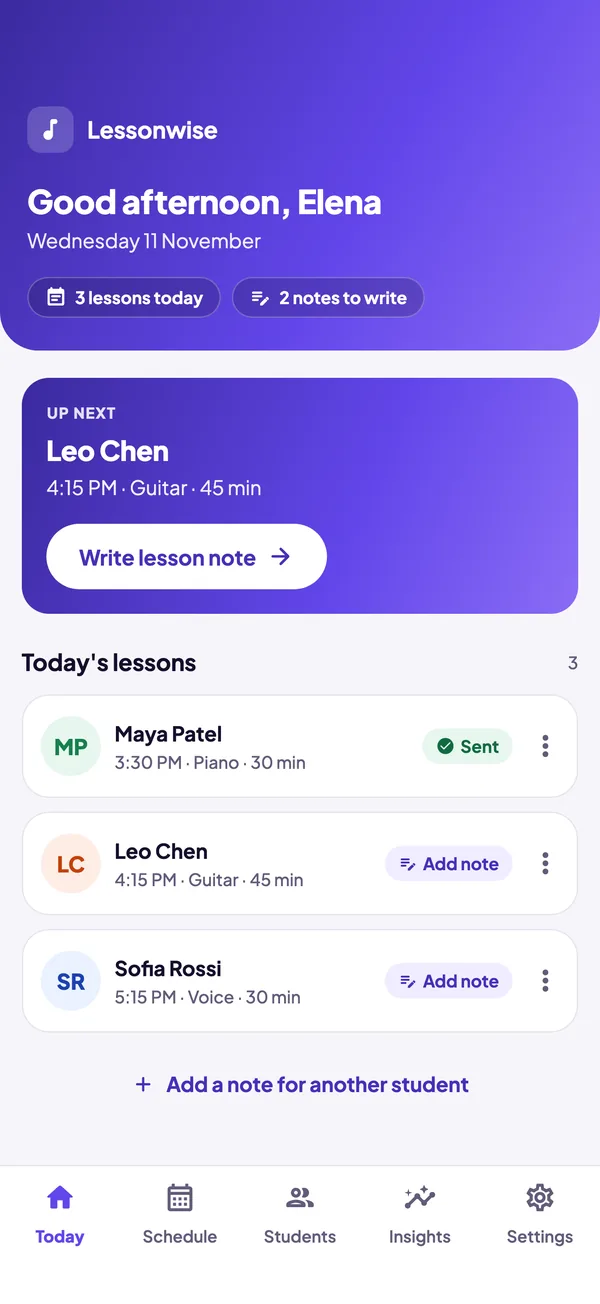
See who’s coming
Today shows every lesson, who’s up next, and which notes are still to write. Skipped lessons and holidays are already taken out.
-
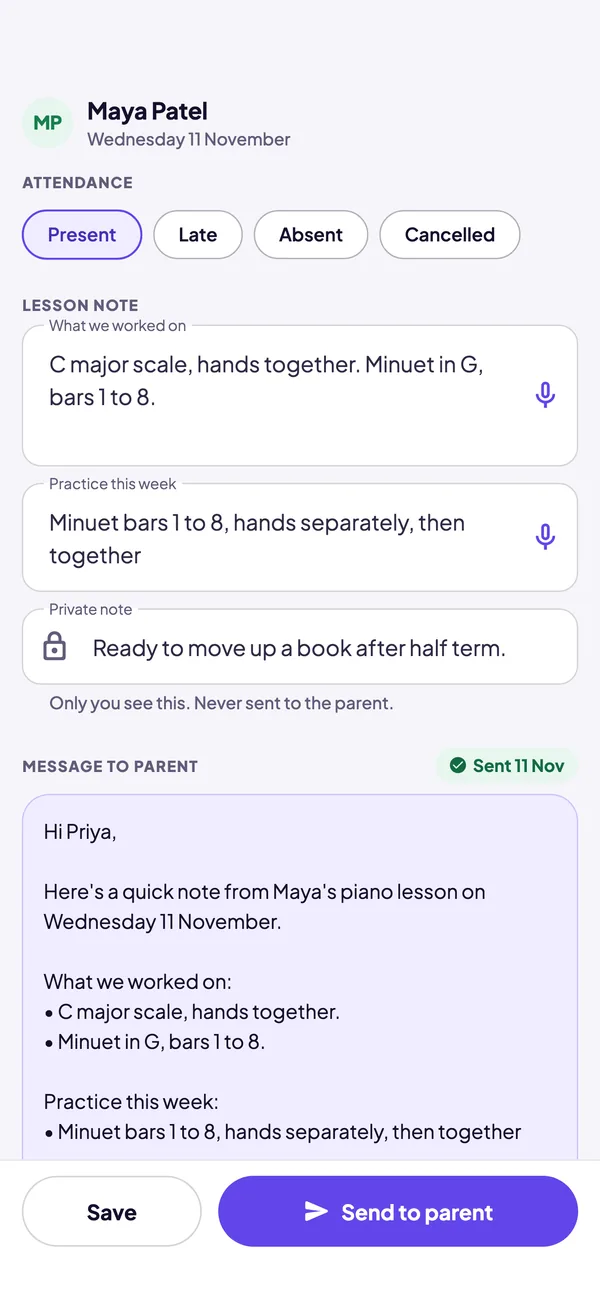
Write the note, send it before they leave
One tap for attendance. Type or dictate what you worked on and what to practise. Lessonwise turns it into a tidy message for the parent, with the next lesson date and time filled in, and Send to parent opens Messages, Mail or WhatsApp.
- The next lesson date follows moves, skips and holidays
- A private note on every lesson that never reaches the parent
-
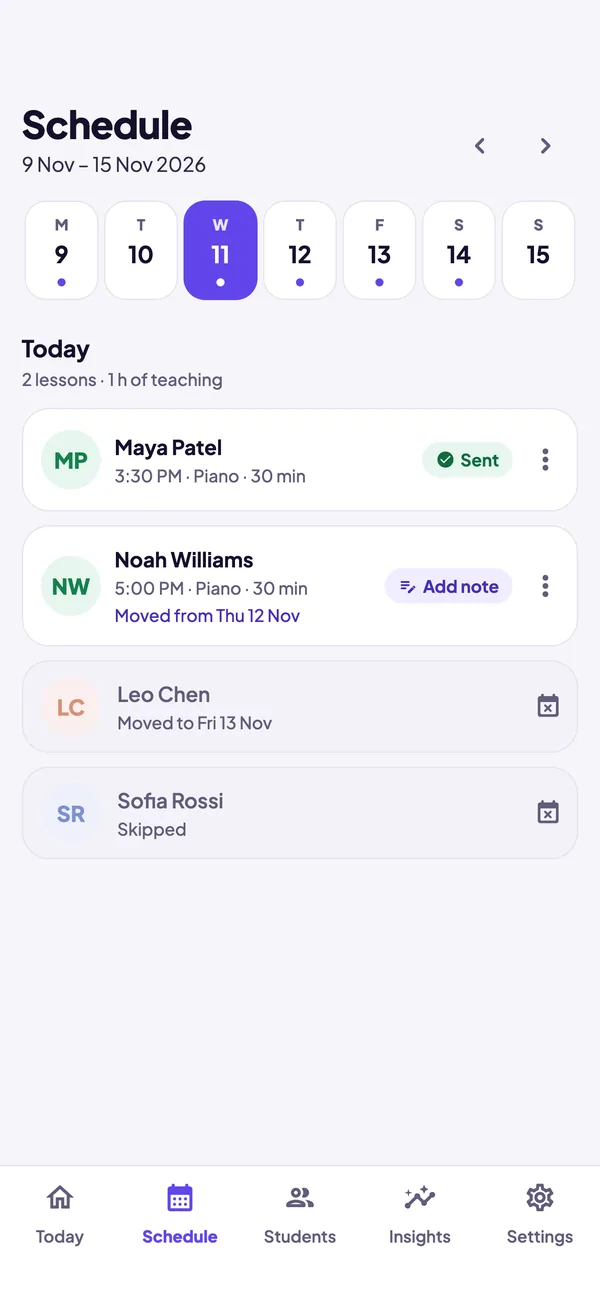
Move one lesson, not the whole week
A parent asks to move Thursday? Move or skip that single lesson and the weekly slot stays as it is. Add half term once, and weekly lessons stay off the schedule until you’re back.
-
Know every student, and your month
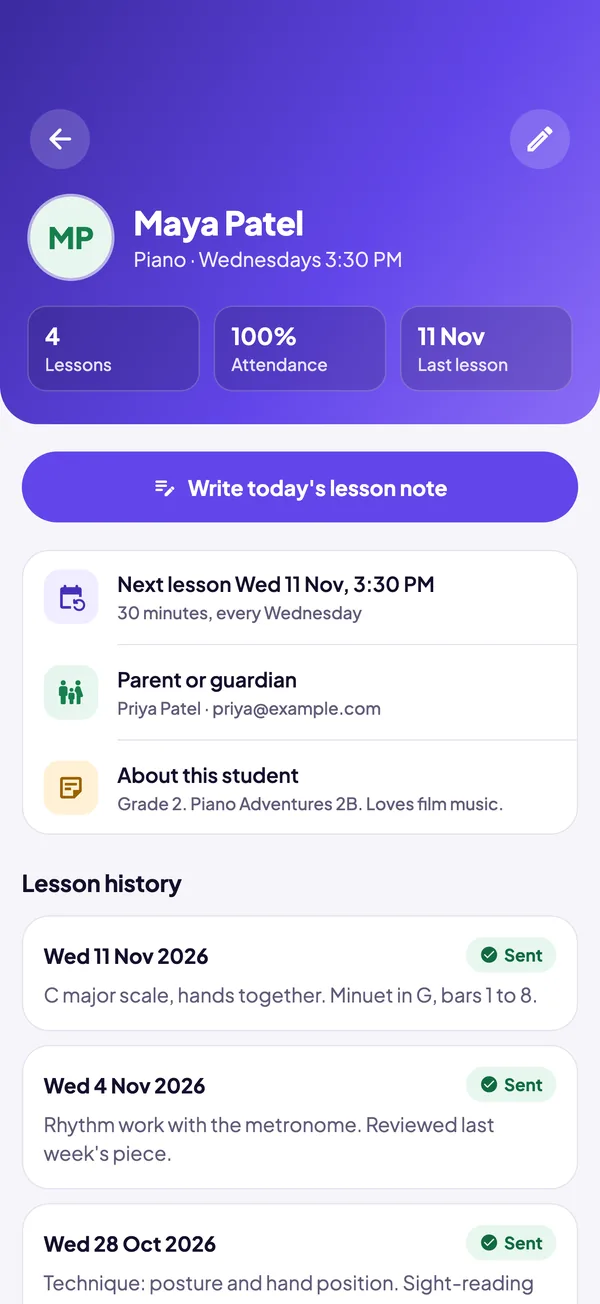
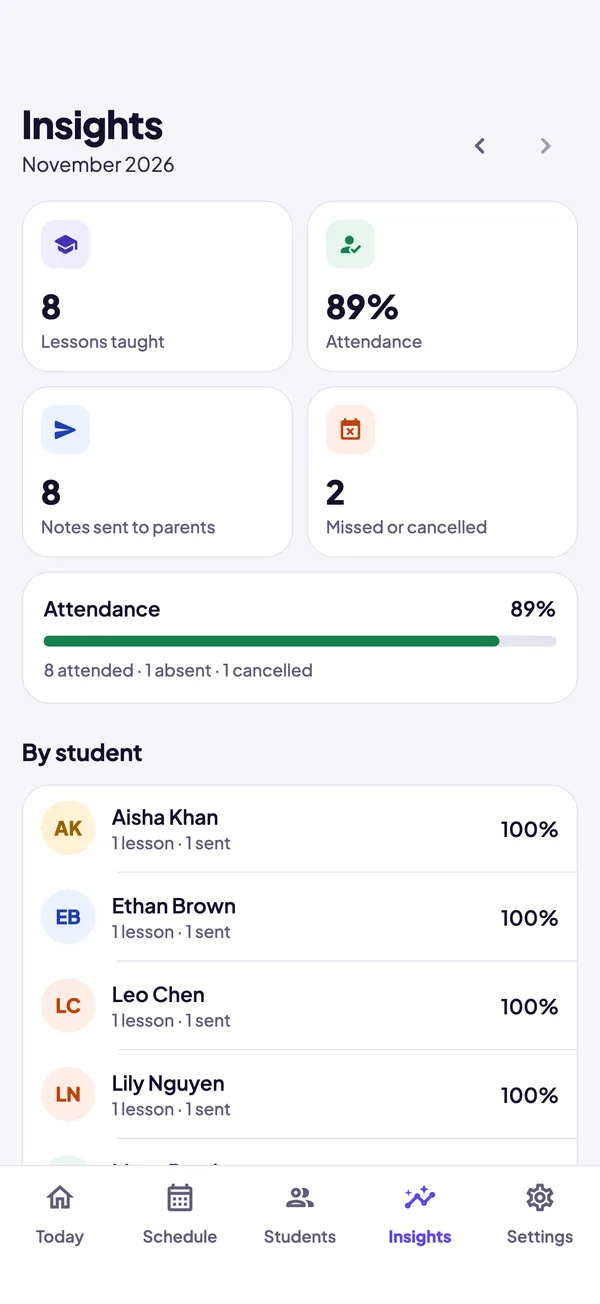
One page per student with lesson history, attendance and parent contact. Insights show lessons taught, attendance and notes sent.
Small things that save the last minute of a lesson
Dictation
Tap the microphone and talk. Lessonwise splits what you say into tidy bullet points.
Private notes
A note on every lesson that only you see. It’s kept out of every parent message.
Holidays
Add a break once. Weekly lessons stay off the schedule and the next lesson date skips past it.
Backup and restore
Save your whole studio to a file whenever you like, and restore it on a new phone.
Sample studio
Explore with sample students first, then erase them and add your own.
Light and dark
Follows your iPhone’s appearance, so it’s easy on the eyes in an evening lesson.
Every feature is free. Pro is for a bigger studio.
The free plan holds up to 5 students with nothing locked. Lessonwise Pro removes the limit so your whole studio fits.
Free
No time limit, no account.
- Up to 5 students
- Lesson notes and parent messages
- Schedule, moves, skips and holidays
- Dictation and private notes
- Insights, backup and restore
Lessonwise Pro
or $14.99 a month
- Unlimited students
- Everything in Free
- Cancel any time in your App Store settings
Prices are in US dollars; the App Store shows the price for your country. Lessonwise Pro is an auto-renewing subscription. Payment is charged to your Apple Account when you confirm, or at the end of the free trial. It renews unless cancelled at least 24 hours before the end of the current period. See the terms.
Your studio stays on your phone.
Student names, parent contacts and lesson notes are stored only on your iPhone. We can’t see them, and nothing is uploaded unless you choose to send a message or save a backup. Read the privacy policy.
- No account and no sign-up
- No analytics and no advertising
- Works without an internet connection

Spend the last minute with your student, not on admin.
Lessonwise is coming soon to the App Store for iPhone. Questions in the meantime? Get in touch.